Strings as Sequences
Treat strings as indexed sequences with encoding, immutability, normalization, traversal, and transformation trade-offs.
What you will be able to do
A string is not just text. For a software engineer, a string is sequence data with human-language rules attached. Every search box, username, URL slug, CSV row, log line, product title, command, email address, and chat message eventually becomes a sequence-processing problem.
Strings Are Sequences, But Not Plain Arrays
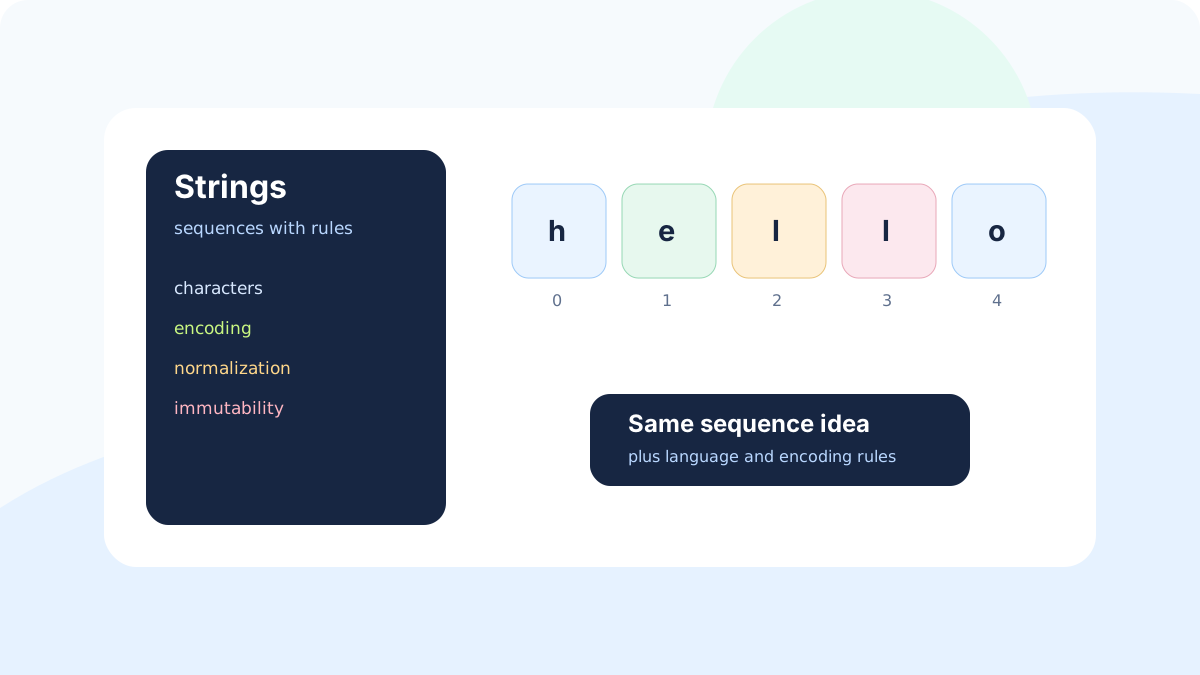
At first glance, a string behaves like an array of characters: you can read a position, scan left to right, slice a range, compare values, and build a transformed output. That mental model is useful, but incomplete. Strings also carry encoding, locale, normalization, case, whitespace, and immutability rules.
This is why production string bugs are common. A feature can pass tests for simple English input and fail for accents, composed characters, mixed case, hidden whitespace, emoji, right-to-left text, or different locale rules. DSA gives you the sequence model; engineering judgment tells you which text rules matter for the product.
Professional mental model
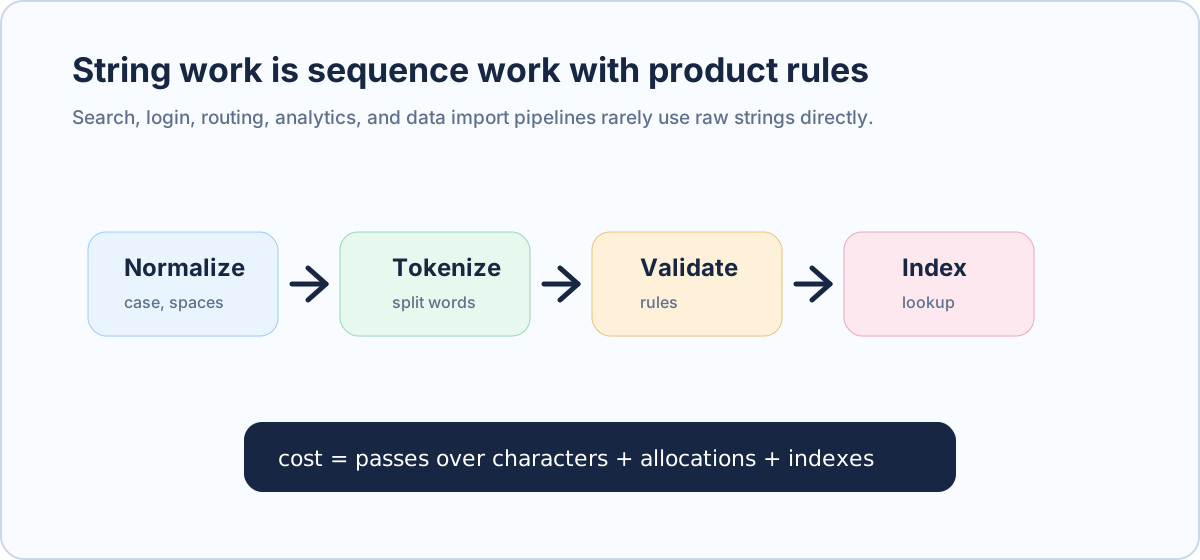
String problems are sequence problems plus representation rules. A strong answer names both: the pass over characters and the semantic rule being applied.
Common String Operations and Costs
| Operation | Typical cost | Production example | Hidden concern |
|---|---|---|---|
| Length | Often O(1), language-dependent details matter | Validate password length | Characters, code units, bytes, or graphemes? |
| Index access | Often O(1) by code unit | Parse a command prefix | May not equal user-visible character. |
| Scan | O(n) | Find forbidden terms or separators | Each pass over text adds cost. |
| Slice/substring | Often O(k) copy in modern runtimes | Extract URL path segment | May allocate a new string. |
| Concatenation | Can be O(n) per operation | Build response text in a loop | Repeated copies can become quadratic. |
| Normalize/case fold | O(n) | Case-insensitive username comparison | Locale and Unicode rules can matter. |
Immutability and Hidden Copies
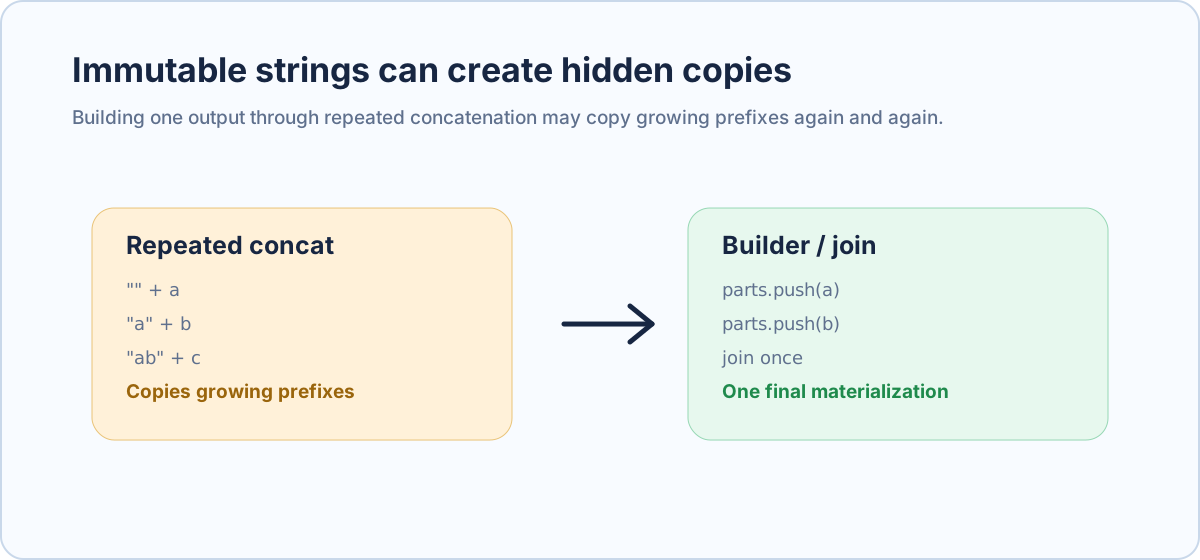
In many languages, strings are immutable. When you appear to change a string, the runtime creates another string. This is good for safety because shared strings cannot be modified behind your back. It is also a common performance trap when code repeatedly concatenates in a loop.
Assessment trap
Do not say string concatenation is always bad. Say repeated concatenation of growing strings inside a loop can create repeated copies. Then propose builder, list plus join, StringBuilder, StringBuilder-like buffers, or streaming output depending on the language.
Scenario: Search Query Normalization
A support product lets agents search customer notes. Users type queries with inconsistent casing and spacing: 'Refund', ' refund ', and 'REFUND' should usually match the same notes. Before lookup, the system trims whitespace, lowercases text, collapses repeated spaces, and tokenizes words.
This is string processing as a pipeline. Each stage is a pass or transformation over the sequence. The cost is acceptable for short queries, but indexing millions of notes requires precomputing normalized tokens and using a lookup structure. Scanning every note and normalizing it per query would waste work.
Real-world usage
String normalization appears in search, login systems, routing, slug generation, spam detection, payment descriptors, observability parsing, import validation, analytics dimensions, and AI prompt preprocessing.
Same Normalization in Java, Python, and JavaScript
The following examples implement a small query-normalization step. They trim, lowercase, split on whitespace, remove empty tokens, and join with single spaces. The cost is O(n) for the input length, plus allocations for tokens and output.
import java.util.Arrays;
import java.util.Locale;
import java.util.stream.Collectors;

class QueryNormalize {
    static String normalizeQuery(String query) {
        return Arrays.stream(query.trim().toLowerCase(Locale.ROOT).split("\\s+"))
            .filter(token -> !token.isEmpty())
            .collect(Collectors.joining(" "));
    }
}
For a short user query, this is straightforward. For millions of documents, doing this work repeatedly at query time is the wrong shape. Normalize documents when indexing, store searchable tokens, and normalize only the incoming query at read time.
Safe String Building in Three Languages
Now consider building a CSV line or log message from many fields. The safe scalable pattern is to collect parts and join once, or use a builder provided by the language. This avoids repeated creation of growing intermediate strings.
import java.util.List;

class CsvBuild {
    static String buildLine(List<String> fields) {
        StringBuilder builder = new StringBuilder();
        for (int i = 0; i < fields.size(); i++) {
            if (i > 0) builder.append(',');
            builder.append(fields.get(i));
        }
        return builder.toString();
    }
}
Encoding and User-Visible Characters
A user-visible character is not always the same as one byte, one code unit, or one array slot. That matters for text limits, cursor movement, truncation, usernames, search highlighting, and validation. A product limit such as '30 characters' must define what it means: bytes for storage, code points for representation, or grapheme clusters for what users perceive.
You do not need to become a Unicode specialist before solving every DSA problem, but you must know when the simple index model is unsafe. If the feature is user-facing text across languages, be careful with indexing, slicing, lowercasing, sorting, and length checks.
When to Transform and When to Index
- Normalize once at write/index time when the same text will be searched many times.
- Normalize at read time when input is small and not reused.
- Avoid repeatedly scanning large text collections per request.
- Use indexes for repeated lookup, prefix search, autocomplete, and full-text search.
- Keep original text when display fidelity matters; store normalized text separately for lookup.
Practice Before You Continue
Assessment-style answer
A username system should not compare raw strings directly if casing and surrounding spaces are meant to be ignored. Normalize the submitted username and compare against a normalized stored key. Keep the display name separately if original casing matters.
| Feature | String operation | Engineering risk |
|---|---|---|
| Login username | Normalize and compare | Duplicate accounts from casing/spacing differences. |
| Search box | Tokenize and index | Slow scans or inconsistent matches. |
| URL slug | Transform and validate | Unsafe characters or duplicate routes. |
| CSV import | Parse and validate | Incorrect splitting, quotes, or whitespace handling. |
| Text limit | Measure defined representation | Rejecting or truncating user-visible text incorrectly. |
Field judgmentEngineering Notes
- Treat strings as sequences, but do not forget encoding and product semantics.
- Most string transformations are O(n) over the input size.
- Repeated concatenation inside loops can create hidden copy costs.
- Normalize for lookup, but preserve original text for display when needed.
- Assessment answers should state the text rule, the pass over data, and where work should be cached or indexed.
Interview signalFrequently Asked Interview Questions
These are canonical interview patterns for this topic, phrased as concrete problem statements. They avoid vague theory questions and prepare you for the exact reasoning interviewers expect: invariant, edge cases, complexity, and trade-off.
- Normalize a search query so casing and repeated spaces do not affect lookup.
- Build a CSV line from many fields.
- Create a lookup key for usernames where surrounding spaces and casing are ignored.
Production practiceCompany-Style Practice Examples
These are not claimed as exact company-specific questions. They are the interview patterns repeatedly used by product companies to test whether you can move from brute force to a defensible implementation.
| Example | Brute-force approach | Stronger solution | Production notes |
|---|---|---|---|
| Username comparison | Compare raw strings directly. | Normalize lookup keys with trim/case rule; preserve display value separately. | State locale/Unicode assumptions. |
| CSV export | Repeatedly concatenate growing strings. | Use builder, join, or streaming output. | Avoid repeated immutable copies for large exports. |
| Search query cleanup | Search raw input exactly as typed. | Normalize, tokenize, and index according to product rules. | Keep original text if display fidelity matters. |
Solved modelInterview Question Solutions
Question 1: Normalize Query
Normalize a search query so casing and repeated spaces do not affect lookup. Trim, lowercase, split on whitespace, and join. Mention locale/Unicode rules for real products.
import java.util.*;
import java.util.stream.Collectors;

class Query {
    static String normalize(String query) {
        return Arrays.stream(query.trim().toLowerCase(Locale.ROOT).split("\\s+"))
            .filter(token -> !token.isEmpty())
            .collect(Collectors.joining(" "));
    }
}
Question 2: Build CSV Line Efficiently
Build a CSV line from many fields. Use StringBuilder or join so the final string is materialized once instead of repeatedly copying growing prefixes.
import java.util.*;

class CsvLine {
    static String build(List<String> fields) {
        StringBuilder builder = new StringBuilder();
        for (int i = 0; i < fields.size(); i++) {
            if (i > 0) builder.append(',');
            builder.append(fields.get(i));
        }
        return builder.toString();
    }
}
Question 3: Username Lookup Key
Create a lookup key for usernames where surrounding spaces and casing are ignored. Normalize the lookup key but preserve the original display name separately.
import java.util.Locale;

record Username(String displayName, String lookupKey) {}

class Usernames {
    static Username create(String input) {
        String display = input.trim();
        String key = display.toLowerCase(Locale.ROOT);
        return new Username(display, key);
    }
}
Solved modelWorked Interview Answer
Normalize a search query so casing and repeated spaces do not change lookup behavior. Normalize before lookup, but keep original text when display fidelity matters. This is O(n) over the query length plus output allocation.
import java.util.*;
import java.util.stream.Collectors;

class Query {
    static String normalize(String query) {
        return Arrays.stream(query.trim().toLowerCase(Locale.ROOT).split("\\s+"))
            .filter(token -> !token.isEmpty())
            .collect(Collectors.joining(" "));
    }
}
Hands-on drillTry It Yourself
Practice task
Design a username comparison rule. Specify trimming, case handling, locale assumptions, stored normalized key, and display-name preservation.
Failure patternsCommon Mistakes to Avoid
- Comparing raw strings when product rules say casing or spaces should be ignored.
- Ignoring Unicode, locale, or grapheme issues for user-facing text.
- Building large strings through repeated immutable concatenation.
Execution guardrailQuick-Start Checklist
- Define the product text rule.
- Normalize before lookup if needed.
- Preserve original text for display when needed.
- Avoid repeated growing concatenation.
- State representation assumptions.
Recall drillKnowledge Check
| Question | Strong answer |
|---|---|
| Why normalize? | To compare or index text according to product rules. |
| Why preserve original text? | Display fidelity may differ from lookup representation. |
| What is the cost of most string transformations? | Usually O(n) over the input length plus allocations. |
VocabularyKey Terms
| Term | Meaning |
|---|---|
| Normalization | Transforming text into a canonical form for comparison or lookup. |
| Grapheme | A user-perceived character, which may use multiple code points. |
| Immutable string | A string value that cannot be changed in place. |
Next practiceFurther Reading
- Read about Unicode normalization and grapheme clusters.
- Study search query normalization pipelines.
- Review StringBuilder and join-based construction patterns.